

Most holiday park operators have Google Search Console connected. Very few actually use it. The account sits there, occasionally sending automated emails about crawl errors, while the real intelligence it contains goes completely unread. If you're serious about moving direct bookings and reducing what you pay to OTAs, Search Console for holiday parks is probably the most underused tool in your stack right now.
This isn't a beginner's guide to setting up a property. You've done that. This is about what to do with the data once you have it, how to read it alongside GA4 and your booking system, and what the numbers actually look like for operators in this sector.
Why Search Console Matters More Than Most Operators Realise
GA4 tells you what happens on your site. Search Console tells you what happens before people arrive. That gap between the two is where most parks leak significant booking revenue, because they're optimising the wrong things.
When someone searches "dog-friendly holiday parks Norfolk" and your site appears in position 7, Search Console records that impression whether or not the person clicked. GA4 never sees it. You have no idea how often your site is appearing for that query, what your click-through rate is, or whether a small improvement in position or title tag could deliver 30 more sessions per week.
At the Toro client base, we consistently see parks where the top 20 queries in Search Console bear almost no resemblance to what the marketing team thinks is driving traffic. That misalignment is expensive.
The Impression-to-Click Ratio Benchmark
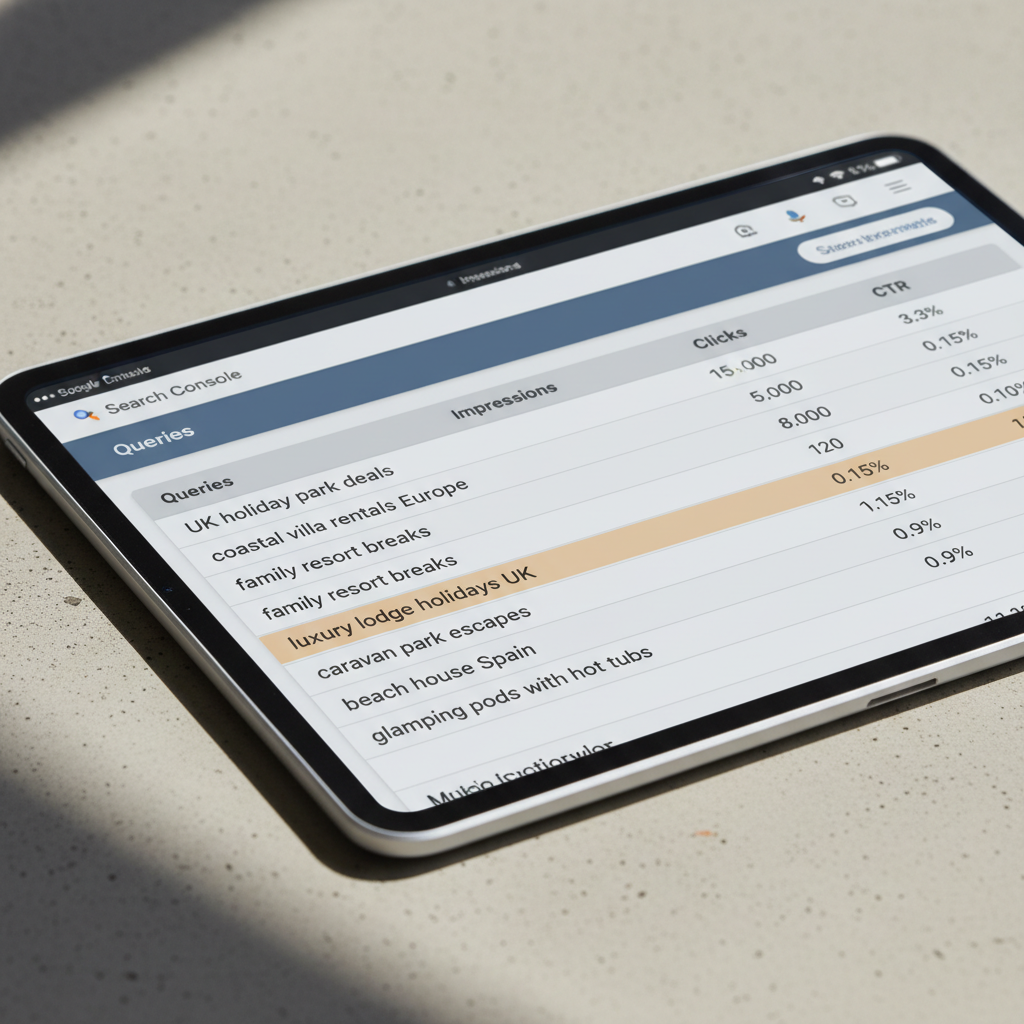
Across leisure property sites in our data, a healthy click-through rate for position 1–3 results is 12–28%. For positions 4–7 it drops to 3–8%. If you're sitting in position 5 for a high-volume query with a 1.2% CTR, your title and meta description are doing real damage to your direct booking revenue.
Pull your top 50 queries by impressions in Search Console, filter to the last 90 days, and sort by CTR ascending. The ones with high impressions and low CTR are your immediate wins. Rewrite those title tags and meta descriptions before you commission any new content.
Connecting Search Console to GA4: The Booking Funnel Picture
Google's native Search Console integration in GA4 is limited, but it's worth activating. Go to Admin, then Property Settings, then Search Console Links. Once connected, you'll get a basic acquisition report that shows organic search sessions alongside the standard GA4 metrics.
But the more useful view requires a bit of manual work. Export your Search Console data (queries, landing pages, clicks, impressions, position) and cross-reference it with your GA4 landing page performance. You're looking for pages with strong organic arrival but poor engagement or conversion. These are your CRO priorities.
What Good Looks Like on a Holiday Park Site
Based on Toro benchmark data from operators running CampManager, RMS Cloud, and Anytime Booking integrations, here's what we typically see on well-performing direct booking sites:
- Organic search to booking funnel entry: 18–35% of organic sessions reach a search results or lodge detail page
- Booking funnel entry to checkout start: 22–40% (this drops sharply on mobile if the search widget isn't optimised)
- Checkout start to confirmed booking: 55–75% (anything below 50% suggests a payment or trust issue)
- Average organic search position for core accommodation queries: 4.2–7.8 across mid-size park groups
These aren't aspirational figures. They're the range we see across live operator accounts. If your numbers sit outside these ranges, you have a specific, diagnosable problem rather than a vague sense that the site "could do better".
The Ownership Enquiry Funnel: A Separate Problem Entirely
Ownership enquiry funnels behave very differently to holiday booking funnels, and most parks lump them together in their analytics without realising it. The intent signals are different, the search queries are different, and the conversion timelines are measured in weeks rather than hours.
In Search Console, ownership-related queries tend to show high impressions but very low CTR, because the title tags on ownership pages are usually written by someone optimising for the park's brand rather than the searcher's intent. Queries like "lodge ownership [county]" or "static caravan for sale [park name]" sit in the data quietly while the sales team wonders why enquiries are down.
Segmenting Ownership Traffic in GA4
Create a separate GA4 segment for sessions that include your ownership-related pages. Use Explore to build a funnel from organic landing on an ownership page through to the enquiry form submission event. Most parks will find conversion rates under 2% on this funnel. The sector median from our data is 1.4–2.8%.
The fix is rarely more traffic. It's usually a combination of weak page content, no social proof on the ownership pages, and enquiry forms that ask for too much information too early. A single-field "request a callback" conversion will typically outperform a 12-field enquiry form by a factor of three to four.
OTA Dependency and What Search Console Reveals About It
Here's an uncomfortable pattern we see frequently. A park is generating significant OTA revenue through Pitchup, Hoseasons, or similar channels. The marketing team feels broadly positive about this because bookings are coming in. But when you pull Search Console data, you find that brand queries for the park's own name have a high CTR and the park ranks well for its own brand. That's expected.
The problem is in the non-brand queries. The OTA is almost certainly outranking the park's own site for key accommodation queries, sometimes by three to five positions. The park is effectively paying commission on traffic that could have been captured directly, because the OTA has invested in SEO that the park hasn't.
Search Console makes this visible. Pull your non-brand queries and check average position. If you're below position 5 for your core queries while your OTA partners are ranking above you, that's a direct cost you can quantify. A single position improvement on a query with 2,000 monthly impressions and a 5% CTR improvement translates to roughly 100 extra organic sessions per month. At a 2% booking conversion rate and a £500 average booking value, that's about £1,000 in additional direct revenue monthly, without paying OTA commission.
Using AI to Work Through the Data Faster
The honest barrier for most operators isn't access to the data. It's time. A head of digital at a three-park group is managing the booking platform, running paid campaigns, overseeing content, and probably doing parts of the revenue manager role too. Sitting down with a Search Console export and a GA4 funnel report for two hours a week isn't realistic.
This is exactly the gap that AI for holiday parks addresses when it's applied properly. Not in some abstract "AI will sort your analytics" sense, but in very specific, narrow applications: automated query clustering, flagging anomalies in CTR data, drafting revised title tags based on query intent, and generating content briefs for pages with strong impression data but weak rankings.
What InsightOS Actually Does With This Data
Toro's InsightOS service pulls Search Console and GA4 data on a scheduled basis, runs it through a structured analysis layer, and produces a plain-English briefing that tells an operator exactly what changed, why it matters, and what to do about it. No dashboards to log into. No reports to interpret. A briefing document lands, with specific actions ranked by revenue impact.
A typical monthly InsightOS briefing for a holiday park client will include a flagged list of queries where position improved or declined by more than two places, pages where CTR dropped against stable impressions (usually a title tag issue), a summary of booking funnel changes in GA4, and a ranked list of content or CRO actions for the coming month.
The briefing format came directly from how our own operators at Campercation and TrustedVillas wanted to receive information. Not a data dump. Actionable. Prioritised.
Holiday Park CRO: Turning Better Data Into More Bookings
Holiday park CRO is a specific discipline. It's not the same as e-commerce CRO, and generic conversion rate advice from SaaS blogs rarely applies. The purchase decision involves accommodation type, pitch or lodge selection, dates, party composition, add-ons, and payment. That's a complex funnel with multiple dropout points.
The most common CRO issues we find when auditing park sites against Search Console and GA4 data:
- High organic traffic to accommodation overview pages, but no clear path to a booking widget or lodge detail page
- Mobile sessions bouncing at the booking widget entry point because the calendar component doesn't load properly on Safari
- Park amenity pages ranking well organically but containing no booking CTA or internal link to lodge pages
- Ownership pages receiving organic traffic from high-intent queries but presenting a contact form rather than any persuasive content about park life
None of these are complicated fixes. But you can't prioritise them without the data.
Running a Quarterly Search Console Audit
Set a recurring quarterly task to run through the following in Search Console. Filter to the last 90 days. Export queries sorted by impressions. Mark every query where your average position is 6–15 and impressions exceed 500. These are your "proximity to page one" opportunities, where a modest content improvement could meaningfully shift traffic.
Cross-reference those queries with your GA4 landing pages. If the page that's ranking for that query has a bounce rate above 75% or an average session duration under 45 seconds, the content isn't matching the intent. Either the page needs updating or you need a new, purpose-built page targeting that query cluster.
This process, done consistently every quarter, compounds over 12–18 months. Parks we've worked with that run this cycle have seen organic session growth of 35–65% over an 18-month period, with direct booking revenue growing faster than overall traffic because the visitors arriving are better matched to what's being offered.
Pulling It Together: A Practical Starting Point
If you take nothing else from this post, do this one thing this week. Log into Search Console, set the date range to the last three months, and go to the Performance report. Click "Pages" rather than "Queries". Sort by impressions descending.
Your top 10 pages by impressions are your most visible pages in search. Now check the CTR for each. Any page with more than 5,000 impressions and less than 3% CTR has a title or meta description problem. That's the first fix.
Then go to Queries, filter to show only queries containing your location terms or accommodation types, and look at average position. Anything between 6 and 20 is within striking distance of a position that materially changes click volume. That's your content roadmap.
It doesn't require a new platform, a six-month project, or a significant budget. It requires a clear process, decent data hygiene, and someone with enough time to act on the findings.
If that time is the bottleneck, the InsightOS briefing service exists precisely for this situation. Book a 30-minute scoping call and we'll pull a sample analysis from your Search Console and GA4 data so you can see exactly what you're currently missing.